
Fomo positions leaderboard: how the best trades are ranked
The fomo Positions leaderboard ranks single closed trades, not traders. It sits in the Positions tab of the Leaderboard, next to Traders and Clans, and orders individual positions by realized profit over 24 hours, 7 days, 30 days or all time. Only positions that closed fully and at a profit appear, so it shows the best trades on fomo, never the losing ones.
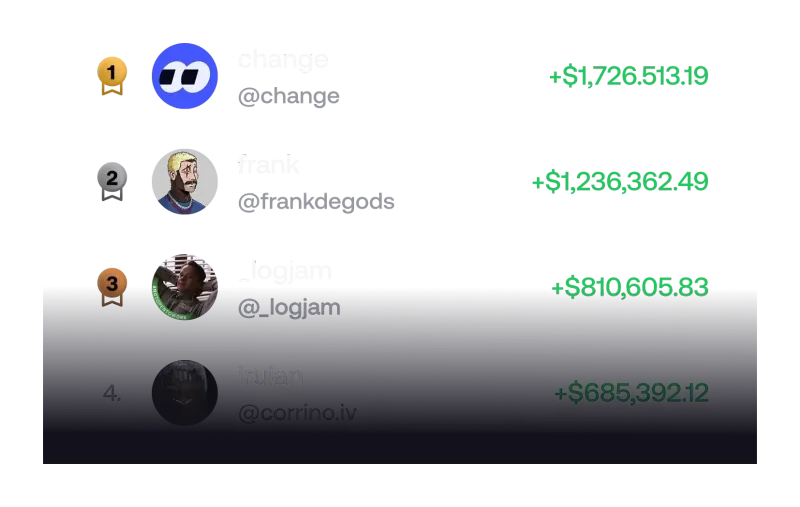
What is the fomo Positions leaderboard?
fomo is a social trading app: other people’s trades, profits and written reasons are visible inside it. The Leaderboard tab has long ranked traders by their overall profit and loss. In early November 2026 fomo’s help center added a separate article for a newer view, the Positions leaderboard, which ranks one trade at a time instead. fomo describes the point plainly: it surfaces the best single trades rather than the best traders overall.
That difference matters for someone deciding whether to join the fomo trading app. A trader ranking blends every win and loss into one number. A position ranking picks out single winners. A trader who is down overall can still have one trade at the top of the Positions board, and a steady trader with many modest wins may never appear there. Everything on this page comes from fomo’s own help center articles, checked on 6 November 2026; the feature is new and its details may change.
Where do you find it in the app?
The Leaderboard is the fourth tab in the bottom bar of the fomo app. It opens on Traders by default. Tap Positions at the top to switch. fomo says the mobile app has three tabs there, and the web version has two:
| Tab | What it ranks | Mobile app | fomo web |
|---|---|---|---|
| Traders | Each trader by realized and unrealized PnL | Yes | Yes |
| Positions | Single closed trades by realized profit | Yes | Yes |
| Clans | Groups of traders by combined PnL | Yes | Not listed |
If the Positions tab is missing on your phone, fomo’s advice is simply to update the app. The Traders board, with its time windows and the Top 100 badge, is covered in our guide to reading the fomo leaderboard before you follow anyone, and group rankings are explained in how fomo clans work. The browser version is described in our fomo web app guide.
Which trades make it onto the board?
fomo sets two conditions, and both shape what you see:
- The position must be fully closed. If the trader still holds part of it, the trade stays off the board until they sell everything. The 24-hour or 7-day window starts from the moment the position fully closes, not from when it was opened.
- It must have closed at a profit. Only profitable closed positions appear. Losing trades are not ranked anywhere on this tab.
Ranking is by realized profit, which on fomo is based on what the trader actually received when they sold. Open trades sitting on large paper gains do not count until they are sold. How fomo works out realized and unrealized figures, and why a fill can differ from the quote, is set out in fomo PnL explained. fomo’s Positions article does not say whether trading fees are deducted from the profit shown.
What does each row show?
Every row on the Positions board shows five things: the trader, the token, the average entry, the amount invested and the realized profit. Two details are easy to misread:
- Token rows show average entry as a market cap. Instead of a price per token, you see how large the token was, by market capitalisation, when the trader bought. A big profit from a very low entry market cap usually means the trader bought a tiny, early token, which is also where most tokens go to zero.
- Perps rows show direction and price. For perpetual futures, the row shows whether the trade was long or short and the average entry price.
Tapping a row opens the closed position together with the trader’s thesis, if they wrote one, and you can follow the trader from there. Tapping the trader’s name opens their profile, with open positions, thesis posts and trading history. A thesis is a written take of up to 3,000 characters attached to a position; our fomo trade thesis guide explains who sees it and when it can be edited.
How do the filters and time windows work?
The board opens on 24H. You can switch to 7D, 30D or all time. The sort icon opens three filters:
- Asset type: All (the default), Tokens or Perps.
- Invested amount: under 1K, 1K to 10K, 10K to 100K, or 100K and over.
- Following: only people you already follow.
The invested-amount filter is the most useful one for a newcomer. A large profit on a six-figure position and a large percentage gain on a small one are very different trades, and mixing them in one list makes the top hard to read. If you plan to start with a small balance, filtering to the under 1K bucket shows trades closer to your own size. For US users, the Tokens filter is also worth setting: fomo says its perps are not available to US persons, so perps rows are something you can read but not act on. What perps are and who can use them is on our fomo perps page.
What does the Positions board not tell you?
Because only profitable, fully closed trades qualify, the board is a highlight reel by design. Keep these gaps in mind before treating any row as a signal:
- The losses are missing. A trader at the top may have had many losing trades that never appear on this tab. Their overall record is on their profile and on the Traders board.
- The trade is already over. A closed position tells you what happened, not what happens next. By the time a trade ranks, the move is finished.
- Size and timing are hard to copy. Entering a token at a much higher market cap than the trader did is a different trade with a different outcome.
- Unpublished details. fomo does not say whether you can hide your own trades from the board, how many rows are listed, or whether fees are netted from the profit figure.
Every trade you place after browsing the board costs the same as any other: 0.50% on most chains plus network fees, with tiers on small Solana orders, as listed on the fomo fees page. Following a trader you find here adds their trades to your feed and, if you switch them on, to your alerts; our guide to fomo app notifications explains the thresholds. Nothing here is investment advice, and past trades, however large, are no guide to future results.
Is it worth checking before you join?
As a window into how people use the app, yes. The Positions board shows which kinds of tokens fomo users trade, at what entry sizes, and what a winning trade’s thesis looks like. For anyone planning to buy meme coins on fomo, the entry market caps on token rows are a quick lesson in how early, and how risky, the biggest wins tend to be.
If you decide to sign up, do it in the right order: open a referral link with the 10% fee discount first, because fomo only attaches it at sign-up, then follow our step-by-step sign-up guide.
Fomo Positions leaderboard questions
Do losing trades show up on the fomo Positions leaderboard?
No. fomo’s help center says only closed positions that closed at a profit appear. Trades that lost money never reach the board, which is why it shows what went right and not how often it went wrong.
Why is my profitable trade not on the Positions board?
The most common reason is that the position is not fully closed. fomo says a position you still partly hold stays off the board until you sell all of it, and the time window starts from the moment it fully closes. If the Positions tab is missing altogether, fomo says to update the app.
Can I see the Positions leaderboard on fomo web?
Yes. fomo’s leaderboard article says the web Leaderboard page has the Traders and Positions tabs. Clans are listed only in the mobile app.
Can US users copy a perps trade they see on the board?
Not with fomo’s perps. The Positions board can show perps rows, but fomo says its perpetual futures are not available to US persons, so a US user can only look at those rows.
What does average entry shown as a market cap mean?
For token rows, fomo shows the average entry as the token’s market cap at the time the trader bought, not as a price per token. It tells you how small the token was when they got in, which matters a lot for memecoins.
Verified 9 October 2026. Figures on this page were checked against these sources on that date. fomo can change fees and features at any time; if something here no longer matches, tell us through the contact page and we will update it.