

Where can you download the official fomo app?
There are three official ways to get the app, and all of them use the same account and the same balance:
| Platform | Official listing | What to check |
|---|---|---|
| iPhone and iPad | App Store: fomo - never miss out | Seller shown as FOMO Labs Inc., Finance category, iOS 16.4 or later |
| Android | Google Play: fomo | Package name family.fomo.app in the address bar |
| Web and desktop | fomo.family | Exact domain fomo.family, nothing added before or after |
Availability differs by location: see fomo app countries for the restricted list and the products with extra rules. Avoid APK files from download sites, browser extensions that claim to be fomo, and any address that only looks similar to fomo.family. Our fomo family guide to the official website lists the real addresses and the warning signs of a fake.
What does the fomo app do?
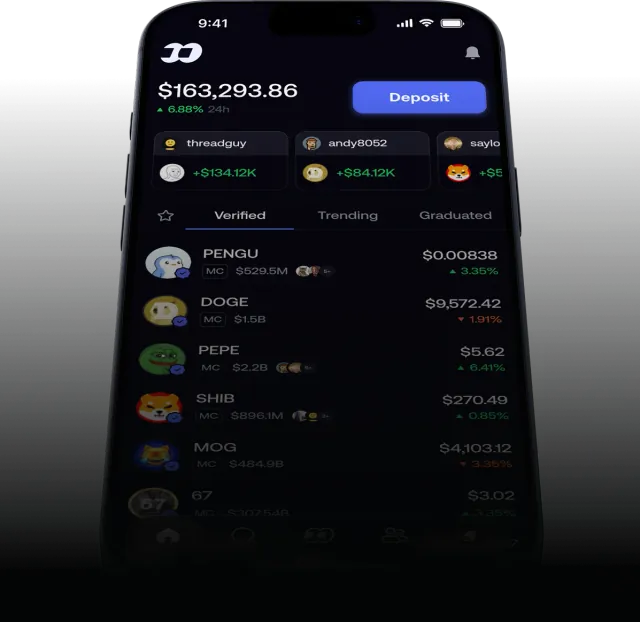
fomo is a trading app first and a social network second. According to fomo's own app guide, the app has five main areas:
- Home, where you browse tokens with lists such as trending, most held and six more that fomo documents.
- Search, for coins and for trader profiles.
- Social feed, which shows trades and position updates from people you follow and from top traders.
- Friends and leaderboard, where you track top performers and decide whether to copy their trades.
- Profile, with your stats, portfolio chart and activity history.
You trade tokens on seven chains from one balance: Solana, Base, BNB Chain, Ethereum, Monad, Robinhood Chain and Arc. Since June 2026 the app also offers perpetual futures, powered by Hyperliquid and Trade[XYZ], although perps are not available to US persons. Copy trading on fomo is manual: the app notifies you when a trader you follow moves, and you decide whether to make the same trade.
How do you sign up in the fomo app the right way?
- Open the fomo referral link on the phone or computer you will use.
- Install the app from the official store, or continue on fomo.family in the browser.
- Sign up with your email address or Apple ID. fomo creates the wallet for you.
- Add funds with Apple Pay, a debit card or USDC on Solana, Base or BNB Chain.
- Buy your first token, starting small.
The order matters. fomo's help center says referral codes are applied on the signup screen and cannot be added in the app afterwards. The full walkthrough is in our fomo sign-up guide.
What does it cost to trade in the fomo app?
Downloading and signing up are free. Trading is not. fomo charges 0.50% per trade on Base, BNB Chain, Monad, Robinhood Chain, Ethereum and Arc, and on those chains you also pay the network fee. Solana has a tiered schedule for small orders, and on Solana fomo pays the gas for you. Selected major tokens cost 0.05% per trade. A referral link cuts the 0.50% rate to 0.45%. All the numbers, with examples, are on the fomo app fees page.
Is the fomo app rated well?
On the US App Store the app showed a 4.8 out of 5 average from about 19,000 ratings when we checked; our fomo app review sets the praise against the most common complaints. Store ratings are self-reported by users and say little about whether a specific token is a good trade. The friction points worth knowing before you download are all documented by fomo itself: small Solana orders pay a 2% tier, chains other than Solana add a network fee on top of the trading fee, and bank withdrawals can take up to three business days, with extra verification the first time.
Which is better, the fomo app or the web version?
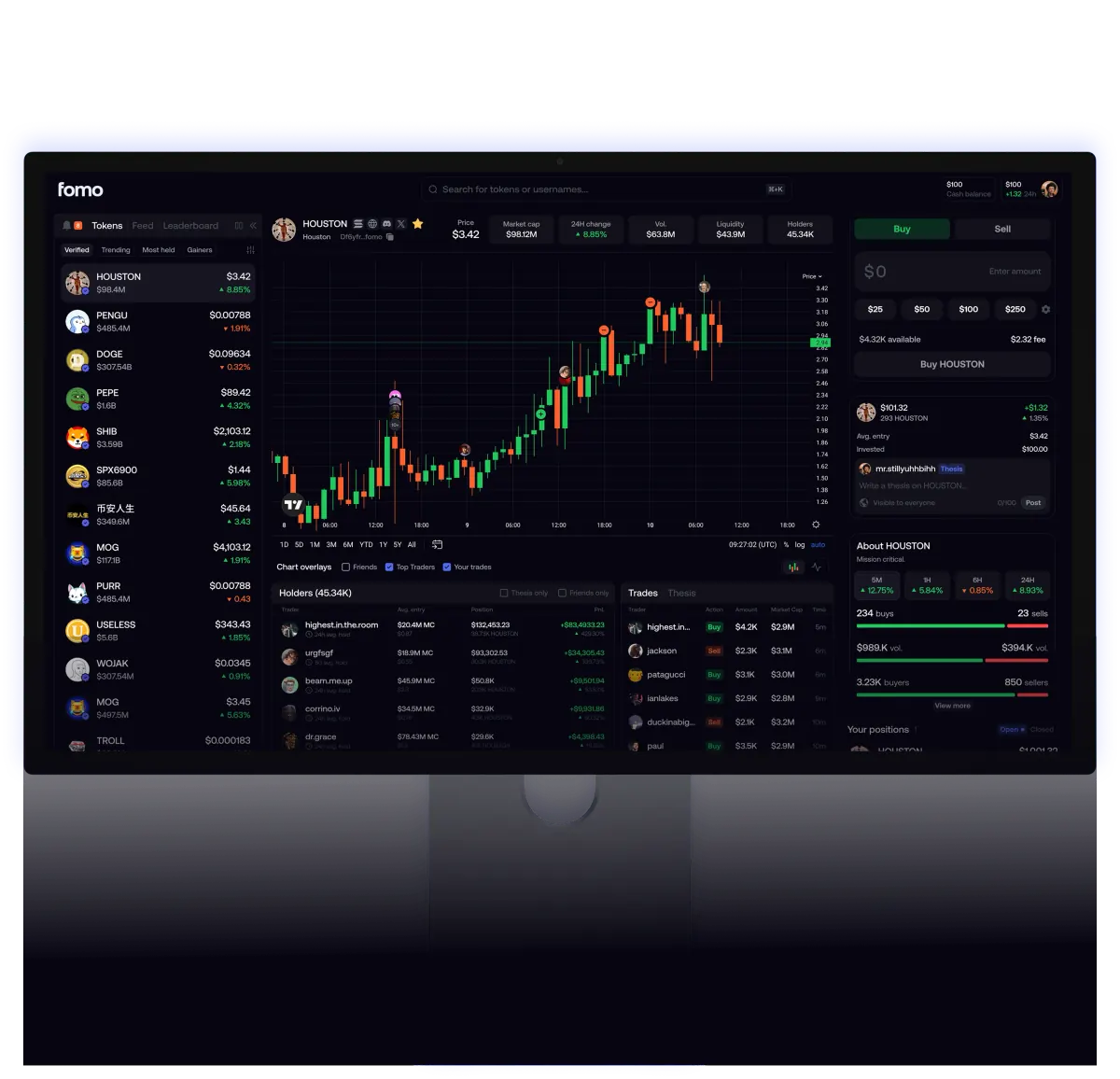
They are the same product on the same account. The mobile app adds an optional Face ID check, which you turn on under Settings, then Security, to protect withdrawals, private key export and, if you want, opening the app, plus Apple Pay deposits on iPhone. The web version at fomo.family is more comfortable for reading charts on a large screen. Many people sign up on the phone and check positions on desktop. For how the wallet is secured, see is the fomo app safe. For what the fomo crypto app actually does once you are inside it, start on the home page.
fomo app questions
Is the fomo app free to download?
Yes. The fomo app is free on the App Store and Google Play and on the web at fomo.family. fomo earns money from trading fees: 0.50% per trade on most chains, or 0.45% if you signed up with a referral link.
What is the official name of the fomo app in the App Store?
The iOS listing is called "fomo - never miss out" and the seller is FOMO Labs Inc. On Google Play the app is simply called fomo, with the package name family.fomo.app.
Which iPhone version does the fomo app need?
The App Store listing requires iOS 16.4 or later. The app is rated 18+ and sits in the Finance category.
Can I use fomo without downloading the app?
Yes. The same account works in a browser at fomo.family, so you can sign up and trade on desktop without installing anything.
Does it matter where I download the fomo app from?
Download only from the App Store, Google Play or fomo.family. For the fee discount, what matters is opening a referral link before you create the account, because fomo does not let you add a referral code after sign-up.
Verified 9 October 2026. Figures on this page were checked against these sources on that date. fomo can change fees and features at any time; if something here no longer matches, tell us through the contact page and we will update it.
- Apple App Store: fomo - never miss out
- Google Play: fomo
- fomo blog: Navigating your fomo app
- fomo help center: How referral codes and fee discounts work
- fomo help center: Trading fees on fomo
- fomo blog: Perpetuals, now on fomo
- fomo answers: How does copy trading work?
- fomo answers: How long does it take to withdraw from fomo?
- fomo blog: How fomo keeps your crypto secure