
Fomo PnL explained: how the app counts gains and losses
PnL means profit and loss. In the fomo app you see two kinds: unrealized PnL, the running return on a position you still hold, and realized PnL, worked out from what you actually received when you sold. The chart on your profile is a third thing again: your total portfolio value, which also moves when you deposit or withdraw. Here is how each number works, where to find it, and what fomo does not say about it.
What does PnL mean in the fomo app?
fomo's help center article "Understanding your PnL" splits the idea into two numbers that are easy to mix up:
- Unrealized PnL. The percentage shown on a token page and on your profile reflects your total return on that position. fomo says it counts both the part you still hold and any part you have already sold, and it updates continuously as the price moves.
- Realized PnL. When you sell, fomo calculates realized PnL from what you actually received. That is the number that tells you what a closed trade really made or lost.
The practical difference: unrealized PnL can change every few seconds and can disappear before you sell, while realized PnL is fixed once the sale settles. On memecoins, where prices can fall fast, a large unrealized gain is a snapshot, not money in your cash balance.
Where do you see your PnL on fomo?
Your PnL shows up in more places than most new users expect. Based on fomo's help center:
| Where | What it shows | Who can see it |
|---|---|---|
| Profile: open positions | Token, entry price, current value, unrealized PnL | You, on your own profile |
| Profile: closed positions | Token, date, realized PnL | You, on your own profile |
| Token page | Your percentage return on that position | You |
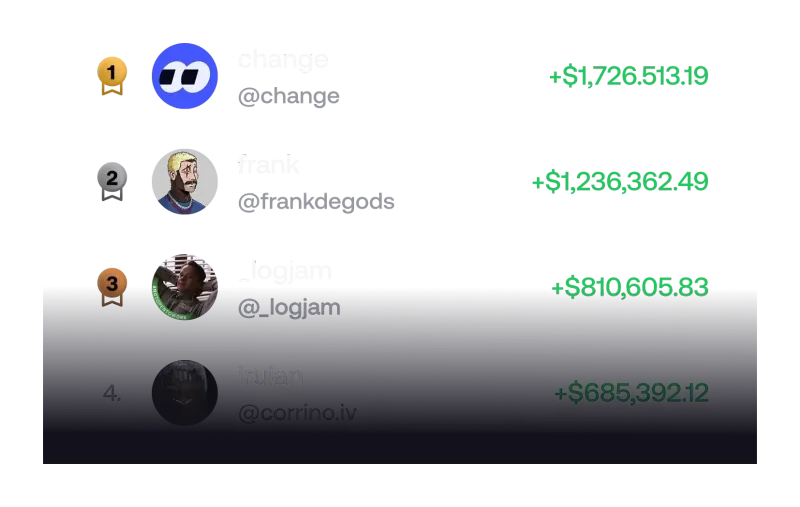
| Leaderboard | Rank by realized and unrealized PnL, over 24 hours, 7 days, 30 days or all time | Every fomo trader |
| Friends list | PnL of traders you follow, sorted by % or $, filtered by 24 hours, 7 days or 30 days | You, for traders you follow |
| Social feed and trade thesis | Token, amount and PnL on each post; a thesis shows the token, its current value and your PnL | Other users |
fomo's app guide also says the app can create shareable cards of your gains or losses. Before you post one, remember the card shows a result, not the risk you took to get it. The guide to the fomo leaderboard covers how rankings over short windows can reflect a single lucky trade, and posting a fomo trade thesis explains who sees your thesis and your PnL next to it.
Why is your realized PnL different from the price you saw?
Because the price you see is a quote, and the sale happens a moment later on-chain. fomo's PnL article says that if the price moves between the last quote and the moment your trade fills, realized PnL uses the fill price. It adds that the gap tends to be bigger on tokens with low liquidity or high volatility, which describes many newly launched memecoins.
Two other things can make a sale come in lower than the headline number suggests:
- Fees. fomo charges 0.50% per trade on most networks, with tiered fees for small Solana orders and 0.05% on selected major tokens; on every network except Solana you also pay the network fee. The PnL article does not say whether fees are reflected in the PnL figure, so check the full fomo fee schedule or run your order size through the fomo fee calculator.
- Liquidity. A position can show a large value that cannot actually be sold if the liquidity behind the token has been pulled. Our page on why a token will not sell on fomo explains the warning signs.
Why does your fomo profile chart look different from your PnL?
This is the most common source of confusion, and fomo has a separate help center article about it. The chart on your profile is not the PnL of any single trade. It is your total portfolio value: your cash balance plus your holdings at market price, so it moves with prices across everything you hold.
- When you sell a token, the proceeds stay in your cash balance. Your total only changes by whatever the price did, so selling alone does not make the chart jump.
- When you withdraw to a bank, the money leaves your fomo wallet and the chart drops. fomo says this is profit leaving the app, not a loss.
- Transfers out work the same way: they lower the total without changing the PnL of the trades you made.
So if your chart dipped on the day you cashed out, look at the closed positions list for your realized PnL instead. The fomo wallet guide covers how withdrawals work.
How do you check your full trade history?
PnL tells you the result; history tells you how you got there. fomo's transaction history article describes the steps:
- Open your profile.
- Tap the clock icon at the top of the profile to open the History screen.
- Filter by All, Transfers, Trades or Cash.
- Read each line for its type, date, amount and the asset or account involved.
Very small leftovers can be hidden from view: fomo hides balances under $2 by default, with a "Show hidden" option on mobile and "Show dust" on the web. fomo's own beginner advice includes tracking your P&L, and the History screen is the simplest place to do that. For a tour of the rest of the profile and settings, see how to use the fomo app tab by tab.
Is fomo PnL the same as your taxable gain?
Do not assume so. fomo's terms say it does not collect, report or remit any taxes for you, and its PnL article does not mention cost basis or taxes. The in-app numbers are a useful summary of how your trades went, not a tax figure. We do not give tax advice; our page on fomo crypto taxes and trade records lists what the app keeps and what the IRS says counts as a sale, so you can take the right records to a professional.
What should a new user know before chasing PnL?
PnL in a social app is visible by design: leaderboards, feeds and share cards all put returns front and centre. That makes it easy to compare yourself with the top of a ranking and size up trades to catch up. A few points worth keeping in mind before your first deposit:
- Leaderboard ranks are based on results, including unrealized gains that can vanish. They are not a recommendation.
- Small trades pay proportionally more in fees, so a modest price move may not cover the round trip.
- A position you cannot sell has no real PnL, whatever the screen shows.
If you have not opened an account yet, start with our overview of fomo trading and the step-by-step sign-up guide. The fee discount from a fomo referral link only attaches when the account is created, and lower fees help every PnL number above.
Fomo PnL questions
Does fomo PnL include trading fees?
fomo’s PnL article does not say. It explains that realized PnL is based on what you actually received when you sold, but it does not mention fees or cost basis. If you need an exact figure, compare your trades and the published fee schedule yourself.
Why did my profile chart go down after I withdrew money?
The profile chart shows your total portfolio value, cash plus holdings. A withdrawal moves money out of your fomo wallet, so the total falls. fomo’s help center says that drop is profit leaving the app, not a loss.
Why is my realized PnL different from what I expected when I sold?
Prices can move between the last quote and the moment the sale settles on-chain. fomo calculates realized PnL from the price your sale actually filled at, and the gap tends to be larger on thin or very volatile tokens.
Can other people see my PnL on fomo?
Parts of it, yes. The leaderboard ranks traders by realized and unrealized PnL, posts in the social feed show PnL, and a trade thesis is shown alongside the token, its current value and your PnL.
Can I download my PnL as a file?
fomo’s help center articles on PnL and transaction history do not mention a CSV or downloadable report. The History screen on your profile lists trades, transfers and cash movements that you can review in the app.
Verified 9 October 2026. Figures on this page were checked against these sources on that date. fomo can change fees and features at any time; if something here no longer matches, tell us through the contact page and we will update it.
- fomo help center: Understanding your PnL (23 April 2026)
- fomo help center: Why does the chart on my profile look different after I sold or withdrew (13 August 2026)
- fomo help center: Transaction history (23 April 2026)
- fomo help center: Leaderboard
- fomo help center: Following other traders
- fomo help center: The social feed (23 April 2026)
- fomo help center: Posting a thesis
- fomo help center: Trading fees on fomo
- fomo help center: What happens to small remaining balances
- fomo blog: Navigating your fomo app
- fomo answers: How do I start trading crypto with no experience? (19 February 2026)
- fomo Terms of Service (dated 17 August 2026)