
How to buy crypto with Apple Pay on fomo
Yes, you can pay with Apple Pay in the fomo app, and there are two different ways to do it: buy a token directly from its screen, or top up your cash balance first and trade from that. The steps take under a minute either way. What fomo does not tell you is what the payment itself costs, so this page separates the fees that are published from the ones you have to read off the screen.
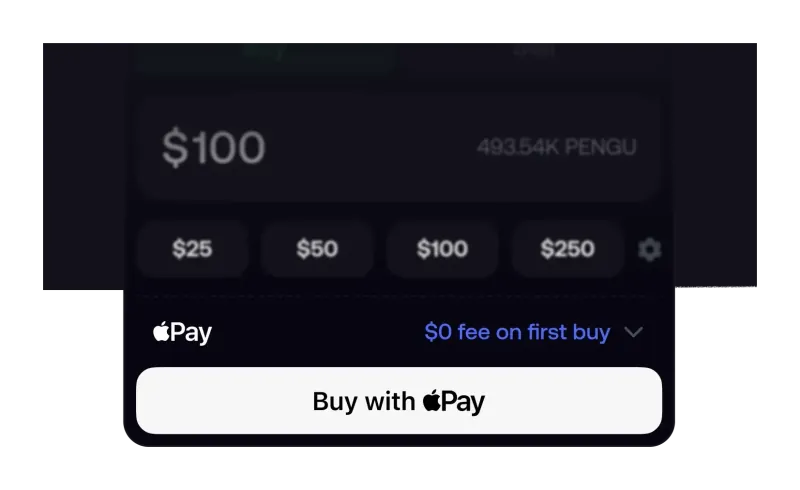
Can you buy crypto with Apple Pay on fomo?
You can. fomo's own answer on the subject says you enter the token you want to buy, confirm with Face ID or Touch ID, and that the tokens are available immediately. Its deposit guide describes the same thing from the other direction: find the asset in the app, tap to buy, and an option to pay directly with Apple Pay appears.
Two limits sit around that sentence, and both come from fomo's own pages. Buying a token straight through Apple Pay works for select tokens only, and fomo has never published which tokens qualify. So the honest expectation for a new account is this: Apple Pay will get money into the app in seconds, but the specific coin you came for may still need you to fund the balance first and buy from it. That second route is ordinary fomo trading and works for everything the app lists.
How does an Apple Pay purchase work step by step?
The direct route, as fomo describes it:
- Open the token's screen in the app and tap the buy button at the bottom.
- Choose Apple Pay as the payment option when it is offered.
- Enter the amount or the token you want to buy.
- Approve with Face ID or Touch ID, the same way you would approve any Apple Pay payment.
- The tokens show up in your account immediately, per fomo.
The funding route has one extra step and no token restriction: open Deposit, pick Apple Pay or Debit Card, enter the amount in dollars, confirm on the payment page, and the cash lands in the single balance your account trades from. fomo says there is no minimum deposit (what that means in practice is on our fomo minimum deposit page). If you have not created an account yet, both routes come after sign-up, and the order matters more than most people realise, which the sign-up walkthrough covers.
Which cards and tokens work with Apple Pay?
On cards, fomo is specific: debit cards from most major banks, plus some credit cards, with a note to check your issuer's policy first. That last part is not boilerplate. Card issuers decide independently whether a crypto purchase is allowed and whether it is billed as a cash advance, and a decline at that layer looks identical in the app to any other failure.
On tokens, fomo is not specific. The phrase in its app guide is select tokens only, with no list attached. Nor has fomo published a minimum or maximum purchase size for Apple Pay, or the countries where it is offered. We will not fill those gaps with guesses; when fomo publishes them, they will appear here with a date.
One detail about the machinery behind the button is public, though not from fomo. Crossmint, a payments infrastructure company, says in its own case study that its fiat checkout powers card and wallet payments for fomo, and reports that the integration drove more than $570,000 of volume across over 9,000 transactions in its first week. Treat that as the vendor's account of its own product rather than a fomo disclosure. It matters for one practical reason: a declined payment can come from your bank or from the payment processor, and neither shows up as a fomo problem.
What does an Apple Pay purchase on fomo cost?
Split the cost in two. The trading fee is published and predictable. The payment fee is not published at all.
| Cost | Published by fomo? | What applies |
|---|---|---|
| Trading fee, most chains | Yes | 0.50% per trade on Base, BNB Chain, Ethereum, Monad, Robinhood Chain and Arc |
| Trading fee, Solana | Yes | Tiered: 0.10 USDC under 5 USDC, 2% from 5 to 47.50, 0.95 USDC to 190, then 0.50% |
| Trading fee, selected major tokens | Yes | 0.05% per trade, with an unpublished minimum on small trades |
| Network fee | Yes | Paid by fomo on Solana; paid by you on every other chain, on top of the trading fee |
| Apple Pay or card processing fee | No | Not published; read the total on the confirmation sheet |
| Referral discount | Yes | Takes the standard 0.50% down to 0.45%, and only if attached at sign-up |
The tier that catches new users is the Solana band between 5 and 47.50 USDC, where the fee is 2%. A $25 first purchase there costs $0.50 in trading fees before any payment cost at all. Either stay small or step above that band. Every tier, with worked examples, sits on the full fomo fee schedule, and the discount side is on the referral code page.
Is Apple Pay the cheapest way to fund a fomo account?
Probably not, but it is the fastest, and for small amounts the difference is measured in cents. Here is how the three funding routes actually compare on what fomo has published:
| Route | Speed | Cost you can verify | Best for |
|---|---|---|---|
| Apple Pay | Immediate, per fomo | Payment fee not published | A first purchase on an iPhone, small amounts |
| Debit card | Fast, funds the cash balance | Payment fee not published | Buying tokens outside the select list |
| USDC transfer | fomo says no more than two minutes | Only the sending network's fee | Larger amounts, money already on-chain |
The catch with the third route is that it is unforgiving: USDC only, and only on Solana, Base or BNB Chain. The wrong token or the wrong network can mean losing the transfer, which is why our USDC deposit walkthrough insists on a small test transfer first. For how the balance, the wallet and withdrawals fit together afterwards, see the fomo wallet guide.
What if Apple Pay does not appear or does not go through?
fomo has not published a troubleshooting page for this, so the useful move is to narrow down which layer failed rather than retrying the same tap:
- The option is missing on a token screen. That is consistent with the select tokens only limit. Fund the balance instead and buy from it.
- The payment is declined. Card issuers block crypto merchants routinely. Your bank can confirm in a minute whether the block is theirs, and the other causes are in why a fomo card deposit fails.
- A credit card fails where a debit card works. Expected, given fomo only says some credit cards are supported.
- Nothing works from where you are. Eligibility rules exist: fomo's terms bar a list of restricted jurisdictions, and its funding options are not identical everywhere, which is why where the fomo app works is worth reading before you deposit.
- Someone offers to help you pay another way. Do not take it. Payments in the real app happen inside the app; anyone directing you to an external site or a wallet connection is running one of the plays described in how fomo scams work.
Retrying a failed card payment several times can also trigger your bank's fraud rules on its own, which makes the next attempt more likely to fail rather than less.
How much should a first Apple Pay purchase be?
We do not give investment advice, so here is what fomo itself publishes and what the fee table implies. fomo's own beginner answers suggest $25 to $50 for learning with limited risk, call $100 to $250 a common starting point for casual trading, and repeat that you should only invest what you can afford to lose completely. It also states there is no minimum required to start.
The fee schedule adds a practical note those answers skip. At $25 on Solana you are inside the 2% band, so the percentage you pay is at its worst exactly where beginners tend to start. Buying the same token on Base or BNB Chain costs 0.50% plus a network fee you pay yourself. Neither is wrong; they are just different shapes of cost, and knowing which one you are in is the difference between a considered first trade and a surprise. The step-by-step version of that trade is in our guide to buying crypto on fomo, and if memecoins are the reason you are here, the risks specific to them are on buy meme coins on fomo.
What has fomo not published about Apple Pay?
Four things, and each one is a question people ask constantly. There is no published fee for Apple Pay or card payments. There is no published minimum or maximum purchase amount. There is no published list of the select tokens you can buy directly. And there is no published list of countries where Apple Pay funding is offered. Nothing on fomo's help center, deposit guide or answers pages fills those gaps.
Google Pay is worth one more line, because it comes up. fomo's own deposit guide lists three ways to fund an account, and Google Pay is not one of them; the payment vendor mentions it among the methods its checkout supports generally, which is not the same claim. On an Android device, plan on a debit card or a USDC transfer, and see the fomo app download guide for what differs between platforms. If custody, key export and what the app cannot protect you from matter to you before you spend anything, read is fomo safe first, and when fomo asks for ID if verification is your concern.
Apple Pay on fomo: common questions
Does fomo charge a fee for Apple Pay?
fomo does not publish a fee for Apple Pay or debit card funding anywhere we could check, so the only number you can rely on is the total shown on the confirmation sheet before you approve it. The trading fee is separate and is published: 0.50% on most chains, with a tiered schedule on Solana.
Can you use a credit card with Apple Pay on fomo?
fomo says debit cards from most major banks work and that some credit cards do too, adding that you should check your issuer’s policy. Many card issuers treat crypto purchases as cash advances, so the cost of that decision sits with your bank, not with fomo.
Is Apple Pay on fomo available in every country?
fomo has not published a country list for Apple Pay. Its terms do bar access from a list of restricted and sanctioned jurisdictions, and bank withdrawals are not offered everywhere, so availability can differ by where you are even when the app installs fine.
Can you cash out back to Apple Pay?
No route back to Apple Pay is documented. fomo lists three ways out: USDC on-chain, a debit card, or a bank account where available. Crypto withdrawals typically process within seconds, while fomo says bank withdrawals arrive within three business days.
Do you need to verify your identity to buy with Apple Pay?
fomo has no document check at sign-up, so an Apple Pay purchase can happen minutes after you create the account. Its terms still allow fomo to request identity verification, and a first bank withdrawal may need extra checks before the money moves.
Verified 9 October 2026. Figures on this page were checked against these sources on that date. fomo can change fees and features at any time; if something here no longer matches, tell us through the contact page and we will update it.
- fomo answers: Can I use Apple Pay to buy crypto? (8 February 2026)
- fomo blog: A guide to deposits and withdrawals
- fomo blog: Navigating your fomo app
- fomo help center: Trading fees on fomo
- fomo answers: How much money do I need to start trading memecoins? (8 February 2026)
- fomo Terms of Service (dated 17 August 2026)
- Crossmint case study on its fomo checkout integration (vendor announcement)