
Fomo card deposit failed? What happened, and what to do
Most failed card deposits on fomo come down to one of six things: your bank blocking crypto purchases, card details that do not match your bank’s records, an unsupported card type, a limit or cooldown, a region restriction, or a pending charge that is really just a hold. fomo’s help center covers each one. Here is how to tell which you hit, what fixes it, and when switching to USDC is the faster answer.
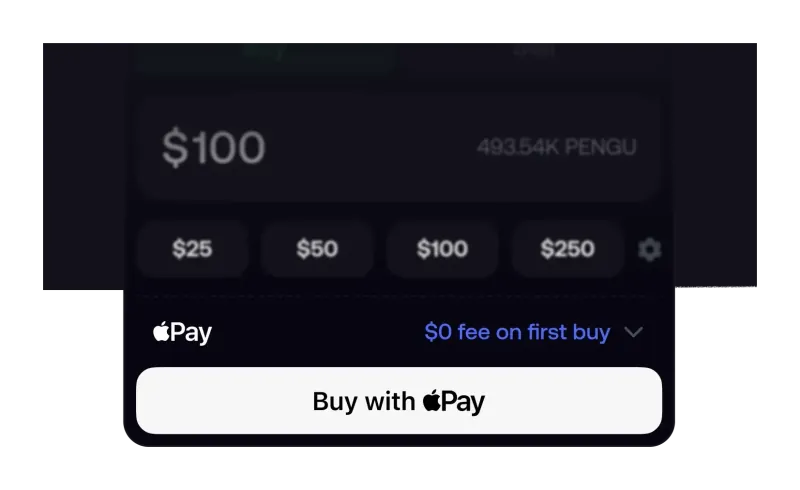
Why did my fomo card deposit fail?
fomo does not see most of the reasons a card is declined; your bank and the payment provider do. That is why the same error can have very different causes. This table lists the causes fomo itself documents, the sign that points to each, and whether you can fix it from your side.
| Cause | What you usually see | Fixable by you? |
|---|---|---|
| Bank blocks crypto purchases | Declined even though the details are correct | Yes: call your bank and authorize the purchase |
| Details do not match | Declined straight away | Yes: card number, expiry, CVV and billing address must match your bank exactly |
| Unsupported card | Declined every time with the same card | Yes: use a bank-issued debit card; prepaid and gift cards are not supported |
| Too many attempts | A message saying so | Wait: at least one hour |
| Apple Pay limit reached | The deposit screen shows nothing left | Switch method, or check for an increase option on the screen |
| Region not supported | A message that deposits are not available in your region | No: card and bank changes will not help; use USDC |
fomo’s wording on the last row is blunt: if the app says deposits are not available in your region, no card or bank change will fix it. Card and Apple Pay availability depends on payment providers with their own country lists, which is covered on where the fomo app works.
What should you check before trying again?
Retrying blind is the most common mistake, because each failed attempt counts toward the cooldown. Work through this order instead:
- Read the exact message. If it mentions your country or region, stop here and skip to the USDC route below.
- Check the card type. The Debit Card method takes bank-issued debit cards. fomo says prepaid and virtual cards are declined by the card provider, and that the Cash App Card, Venmo, Zelle, PayPal and Apple Cash cards are not accepted on that method.
- Match every detail. The billing address and ZIP code must be the ones your bank has on file, not a shipping address. fomo names a mismatched billing address as one of the most common causes.
- Call your bank. fomo notes that some banks block crypto-related purchases by default. A short call to authorize the purchase usually clears it.
- Then try once. One clean attempt beats five quick ones.
If you are wondering about Cash App, PayPal or Venmo specifically, we cover what works and what does not in depositing with Cash App or PayPal.
What does "too many attempts" mean on fomo?
It means several deposit attempts happened in a short time and the payment system has temporarily blocked further tries. fomo’s guidance is to wait at least one hour, and longer if there were many attempts. Two details trip people up: closing and reopening the app will not reset the timer, and retrying during the cooldown can extend it.
Use the wait productively. Confirm the card is a bank-issued debit card and that the billing address matches your bank’s records exactly, since fomo says those two checks account for most failed deposits. Then make a single attempt once the hour has passed.
Why was my bank charged when nothing showed up in fomo?
This looks alarming, but fomo explains it plainly: the bank approved the payment, the deposit did not complete afterwards, and so the money never reached your fomo wallet. The line on your statement is a temporary authorization hold, not a completed charge.
- Timing. fomo says the bank releases the hold automatically within 1 to 3 business days, and it may disappear sooner.
- Business days only. Weekends and holidays do not count toward that window.
- After three full business days. Contact your bank directly. It can trace the authorization and confirm it was for a transaction that did not complete. fomo says you do not need any information from fomo for this.
One practical point: a hold can reduce the balance your bank shows as available until it drops off, so check that before a second attempt. There is nothing for fomo to refund here, because nothing was charged. Once money is in and traded on-chain, though, trades cannot be reversed, which is one reason starting with a small deposit is a sensible habit.
What if the failed payment was Apple Pay?
fomo keeps a separate troubleshooting page for Apple Pay purchases, and a few rules differ from the Debit Card method:
- Card types. Only bank-issued debit or credit cards are accepted. Apple Cash, prepaid cards and virtual cards are not supported.
- Daily limit. Buying a token directly through Apple Pay is capped at $2,500 per day, resetting at 12 AM EST.
- Weekly limits. Apple Pay deposits may also carry a weekly spending limit and a cap on total transactions. The deposit screen shows what is left, and you may see an option there to increase it.
- Region. If the error mentions your country or region, Apple Pay purchases may not be available where you are.
If you only want cash in your balance rather than a specific token, fomo points to the Debit Card option on the main Deposit screen, which can also be switched to Apple Pay; either way the funds arrive as USDC in your cash balance. The full Apple Pay flow is in our guide to buying crypto with Apple Pay on fomo.
What is the fallback when cards keep failing?
USDC. It does not depend on your bank, your card issuer or a payment provider’s country list. fomo’s help center lists USDC deposits on Solana, Base, BNB Chain, Monad and Ethereum, plus USDG on Robinhood Chain, which is converted to USDC automatically. The route is Deposit, then Crypto, then the network your USDC is on, then send only USDC on that network to the address shown. If you do not hold USDC yet, fomo suggests buying it on a crypto exchange that operates in your country.
Sending the wrong token or using the wrong network is the one way this route goes badly, so send a small test first. The step-by-step version, with the mistakes to avoid, is in our USDC deposit guide. Once money is in, what each trade costs on each chain is on the fomo fees page.
Does a failed deposit affect your account or referral?
fomo does not describe any penalty on your account for a declined payment beyond the attempt cooldown. The thing that cannot be fixed later is different: the referral fee discount only attaches at sign-up, so if you have not created an account yet, open a referral link first and follow the sign-up walkthrough before you worry about funding. And if anyone messages you offering to fix a stuck deposit for you, it is not fomo; payments happen inside the app, and the common plays are listed in how fomo scams work. For the bigger picture of the fomo app, fees and chains, start at the home page.
Failed card deposit questions
Did fomo take my money if the card deposit failed?
No. fomo’s help center says that when your bank shows a charge but nothing arrived in the app, the deposit did not complete and the money never reached your fomo wallet. What you see is a temporary authorization hold, which your bank releases on its own.
How long should I wait after a "too many attempts" message?
At least one hour, according to fomo, and longer if you made a lot of attempts. Closing and reopening the app does not reset the timer, and trying again during the cooldown can extend it.
Can I use a credit card to deposit to fomo?
Not on the Debit Card method, which fomo describes as taking bank-issued debit cards. fomo’s Apple Pay troubleshooting page says bank-issued debit or credit cards are accepted for Apple Pay token purchases, so a credit card may work there, subject to your issuer’s own rules on crypto purchases.
Will fomo support reverse a pending card charge?
There is nothing for fomo to reverse, because the payment never completed. fomo says the hold is removed by your bank, and that if it is still there after three full business days you should contact your bank directly. You do not need any information from fomo to do that.
Is there a daily limit on Apple Pay purchases on fomo?
Yes, for buying a token directly through Apple Pay. fomo states that limit is $2,500 per day and resets at 12 AM EST. Separately, Apple Pay deposits may have a weekly spending limit and a cap on total transactions, shown on your deposit screen.
Verified 9 October 2026. Figures on this page were checked against these sources on that date. fomo can change fees and features at any time; if something here no longer matches, tell us through the contact page and we will update it.
- fomo help center: Why did my card deposit fail?
- fomo help center: My bank was charged but nothing showed up in fomo (19 August 2026)
- fomo help center: Why does it say too many attempts when I try to deposit
- fomo help center: Why did my Apple Pay purchase fail (7 July 2026)
- fomo help center: Depositing with a debit card (updated 7 July 2026)
- fomo help center: Can I deposit with Cash App, Venmo, or PayPal?
- fomo help center: Do I need a Coinbase account to deposit?
- fomo help center: Depositing with crypto (USDC) (updated 12 August 2026)
- fomo help center: Where is fomo available (3 September 2026)