
Fomo limit orders: what you can and cannot set
fomo does not document limit orders for spot or memecoin trades. When you buy or sell a token in the app, the trade goes through when you confirm it, at the price available then. The only automatic exits fomo describes, stop loss and take profit, exist on perpetual futures, and those are not available to US persons. Here is what that means in practice and how to plan around it.
Does fomo have limit orders?
Not that fomo has published. We went through every article in the help center collections for Trading, Features, FAQ and Troubleshooting, and Perpetual Futures, plus fomo’s app guide and answers pages. None of them describes a limit order, a stop order or any way to queue a spot trade at a price you choose. Because a missing article is not the same as a missing feature, we say “not documented” rather than “impossible”, but you should plan as if the button is not there.
The closest thing fomo does document is on perps. Its article on placing a perps trade says that “at launch fomo supports market orders for entry, which fill immediately at the best available price”. So even on the product with the most trading controls, entries are market orders.
If you are comparing apps before you sign up, this is one of the real trade-offs of the fomo trading app: it is built around fast, social, one-tap trading across seven chains, not around order books.
How does a buy or sell on fomo actually execute?
fomo’s app guide describes the flow: find a token from the Home filters or search, open its page, and when you are ready, tap the button at the bottom. You pay from your account balance, or with Apple Pay for select tokens. The trade executes when you confirm, and a few published details shape what you actually get:
- The price can move. fomo’s help center now documents a slippage setting, Auto by default with an optional custom ceiling (see how fomo slippage settings work), but the price you see and the price you get can still differ, especially on thin tokens.
- Fees are part of the fill. The standard fee is 0.50% per trade, and on every chain except Solana you also pay the network fee on top. Solana uses tiers for small orders, including a 2% band between 5 and 47.50 USDC; every band is on the fomo fee schedule.
- Sells have a floor. fomo’s help center says the minimum sell in the app is 2 USDC on most networks and 5 USDC on Ethereum, and that when network fees are high, a sell a little above that can still be too small to route (the other causes are in when you can’t sell a token on fomo).
- Confirmed means final. fomo says a confirmed blockchain transaction cannot be reversed, and there is no chargeback.
The step-by-step version, with what each step costs, is in our guide to your first trade on fomo.
Does fomo have stop loss or take profit?
Only on perpetual futures. fomo’s help center describes take profit and stop loss as “automatic triggers that close your position when the price reaches a level you choose”. You can set them when you open a perps position or later, from the pencil icon on the position. The same article states plainly that these features are not available for spot trades or memecoin purchases.
Three details matter even where they are available:
- They trigger on the mark price, not the chart price, so they can fire when the chart looks slightly different.
- When triggered, the order fills as a market order with a built-in 10% slippage tolerance, so the fill can be well away from your trigger in a fast market.
- Prices can gap past a stop loss before it executes.
Perps are also provided by third-party protocols and are not available to US persons, according to fomo’s help center. For a US reader, that means none of these controls applies to you. Markets, fees and access rules are on our fomo perps guide.
What order tools does fomo give you?
Putting the published pieces side by side:
| Tool | Spot and memecoins | Perps (not for US persons) |
|---|---|---|
| Buy or sell at the current price | Yes, on confirm | Yes, market orders for entry |
| Limit order at your price | Not documented | Not documented |
| Stop loss and take profit | No, per fomo’s help center | Yes, filled as a market order with up to 10% slippage |
| Price alerts | No alerts for spot or memecoin holdings | Near and at TP, SL and liquidation levels |
| Slippage setting | Not stated by fomo | Built-in 10% on triggered exits |
| Smallest order fomo states | Sell: 2 USDC, or 5 USDC on Ethereum | 15 USDC notional per position |
The alert rules come from fomo’s notifications article, which also says you cannot set an alert for an arbitrary token price or dollar amount. Our guide to fomo app notifications lists what does get sent.
Why does the missing limit order matter?
A limit order does two jobs: it caps the price you pay, and it lets the trade happen while you are away. On fomo you give up both, and the cost shows up in three places.
Thin tokens. Many memecoins have little liquidity. With no price cap and no published slippage setting, a market buy on a thin token can fill noticeably worse than the quote, and the same is true when you sell. fomo’s own guide to spotting low-quality tokens is worth reading for this reason, and so is our page on token traps and fomo scams, since a honeypot cannot be sold at any price.
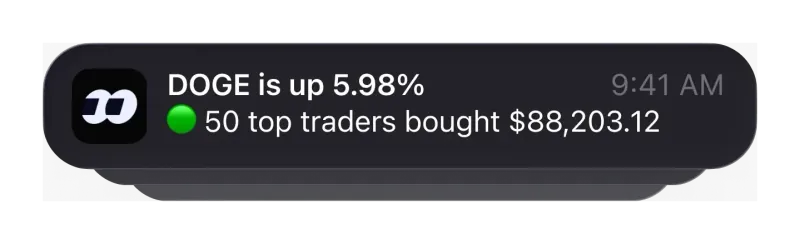
Exits you are not awake for. With no stop on spot and no spot price alert, a token can fall a long way while your phone is in your pocket. fomo can notify you about activity from tokens and accounts you follow, but that is not the same as an alert at your price.
Small orders. On Solana, an order between 5 and 47.50 USDC pays 2%, and a sell under 2 USDC is not possible. Splitting an exit into many tiny pieces to mimic a limit ladder can cost more in fees than it saves, or leave a remainder you cannot sell. Our Solana fee guide shows where each band starts.
How can you plan entries and exits without limit orders?
This is not investment advice. These are habits that follow from fomo’s published rules and from its own risk article, which tells traders to set “mental levels” for taking profit and cutting a loss before they enter:
- Write your levels down before you buy. The app will not hold them for you, so a note with your exit prices is the closest substitute for a stop.
- Buy in pieces, but not tiny ones. fomo’s risk article suggests buying in increments. Keep each piece above the 2% Solana band where you can, and above the 2 USDC sell floor.
- Check the token page right before you confirm. Your order fills at the price when you confirm, not when you first looked, so check price and chain again. If fomo shows a risk warning you have to accept, treat it as a reason to slow down.
- Size for the gap. Without an automatic stop, assume you may exit later and lower than planned, and size the position as money you can lose.
- Use follows for awareness, not execution. Following traders gives you notifications above a threshold you set; fomo’s help center says it has no copy trading feature, so nothing trades for you, and outside tools are no workaround (see whether fomo allows trading bots).
More habits for the first weeks, including fee-aware order sizes, are in our beginner tips for fomo.
What if you need limit orders?
Then fomo may not be the only app you want. Robinhood Crypto, for example, documents market, limit, stop and stop limit orders for crypto, around the clock. It is a different product with different trade-offs: it holds most coins in cold storage, and requires a Social Security number to open an account. Our fomo vs Robinhood Crypto comparison sets the two side by side.
If fast access to new tokens on seven chains matters more to you than order types, fomo still fits, as long as you accept market execution. In that case, open a referral link before you create your account: it is the only moment fomo lets you attach the 10% fee discount, and with market orders, lower fees are the main cost you can still control. Our sign-up guide walks through the order of steps.
Fomo limit order questions
Can I set a buy price for a memecoin on fomo and walk away?
Not from anything fomo documents. Its help center describes spot buys and sells that execute when you confirm them, and it says there are no price alerts for spot or memecoin holdings. If you want to buy at a lower price, you have to be in the app when the price gets there.
Does fomo web have more order types than the mobile app?
fomo’s announcement of fomo web describes the same account, the same balance and the same positions on desktop. It does not mention limit orders or any extra order types, so we do not assume the web version has them.
Is fomo planning to add limit orders?
We found no announcement of limit orders. The June 2026 Series B release says the funding goes toward expanding into equities, perps and prediction markets, and the perps help center says market orders are supported for entry “at launch”. Neither is a commitment to limit orders.
Can I cancel a fomo trade after I confirm it?
No. fomo’s help center says a transaction confirmed on the blockchain is permanent, there is no chargeback mechanism, and because the wallet is non-custodial fomo cannot reverse it for you. Check the token, chain and amount before you confirm.
Verified 9 October 2026. Figures on this page were checked against these sources on that date. fomo can change fees and features at any time; if something here no longer matches, tell us through the contact page and we will update it.
- fomo help center: Placing a perps trade (10 June 2026)
- fomo help center: Stop loss and take profit on perps (10 June 2026)
- fomo help center: What perpetual futures are on fomo (10 June 2026)
- fomo help center: Why can’t I buy or sell this token
- fomo help center: Can I reverse a trade or transfer (23 April 2026)
- fomo help center: Notifications (updated 12 August 2026)
- fomo blog: Navigating your fomo app
- fomo answers: What is slippage in crypto trading? (19 February 2026)
- fomo help center: Trading fees on fomo
- fomo blog: Managing your risk and portfolio (25 December 2025)
- fomo help center: Does fomo have copy trading (19 May 2026)
- fomo blog: Announcing fomo web (29 April 2026)
- Robinhood support: Buying and selling crypto
- GlobeNewswire: fomo raises $75 million Series B (22 June 2026)