
Fomo trading tips for your first month in the app
The best fomo trading tips for a beginner are boring ones: size orders so the fee band works for you, stick to verified tokens, watch traders before copying anything, decide your exit before you buy, and set a budget you can lose. Most of that advice comes from fomo itself. The rest is arithmetic from its fee schedule, and none of it promises a profit.
What are the most useful fomo trading tips for a beginner?
An app named after the fear of missing out is built to make buying fast. Most generic advice about FOMO is about controlling that urge; on fomo, the urge comes with a buy button next to it. These nine habits are drawn from fomo’s own beginner guidance and its fee schedule, and each one is explained below:
- Set a budget before you open the app, and only use money you can afford to lose.
- Size orders around the fee bands, especially on Solana.
- Start in the verified tab, not the trending one.
- Observe traders for several days before acting on what they buy.
- Set follow-alert thresholds so notifications do not become a to-do list.
- Decide where you take profit and where you cut a loss before you enter.
- Spread early trades over a few tokens instead of one bet.
- Track your P&L and treat early losses as tuition (the same records help at tax time, see fomo crypto taxes).
- Protect the account: fund on the right network and ignore anyone offering “support” in your messages.
If you have not placed a trade yet, walk through buying your first token on fomo first; the tips here are for what comes after.
How do you size orders so fees do not eat small trades?
fomo charges 0.50% per trade on Base, BNB Chain, Monad, Ethereum and Robinhood Chain, and you pay the network fee on top. Solana is different: fomo pays the network fee, priority fee and token rent, but small orders are priced in tiers. That makes the effective rate swing sharply with order size:
| Solana order | fomo fee | Fee as a share of the order |
|---|---|---|
| 4 USDC | 0.10 USDC flat | 2.5% |
| 10 USDC | 0.20 USDC | 2% |
| 40 USDC | 0.80 USDC | 2% |
| 50 USDC | 0.95 USDC flat | 1.9% |
| 100 USDC | 0.95 USDC flat | 0.95% |
| 190 USDC or more | 0.50% | 0.50% |
Remember that selling is a trade too, so a round trip pays the fee twice. The practical tip is not “trade bigger”; it is to avoid the 2% band by accident. Fewer, deliberate orders cost less than many small ones. On Ethereum the network fee can dwarf the 0.50% on small orders, so small experiments usually belong on Solana or Base. Selected major tokens cost 0.05% instead, and a referral lowers the standard 0.50% rate to 0.45%. Every tier is on the fomo fee schedule page.
How should you use the feed and leaderboard without chasing?
The social side is what separates fomo trading from a plain exchange, and it is also where beginners overtrade. fomo’s help center is blunt that the app has no copy trading feature: you follow people, see their trades in the feed, and decide each trade yourself. Three habits help:
- Observe before acting. fomo’s own beginner advice is to watch traders for a few days before putting money behind anything they do. A trader’s entry is not your entry; by the time you see it, the price may already have moved.
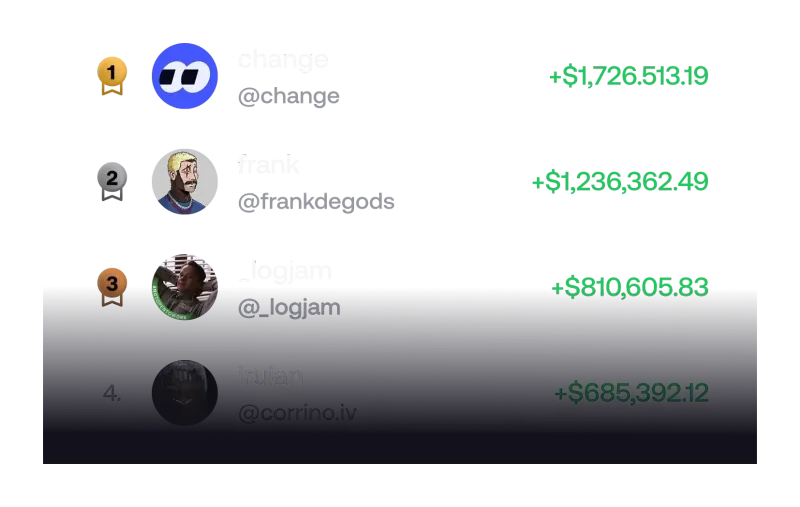
- Read the whole profile, not the rank. The fomo leaderboard ranks traders over 24 hours, 7 days, 30 days and all time. A 24-hour winner may just have hit one lucky memecoin.
- Raise the alert threshold. fomo lets you get notified about a followed trader’s buys and sells past a threshold you set, so small trades do not ping you. How to change that, and every other alert type, is in our guide to fomo app notifications.
More on how posts are shown, and what the social feed does not tell you, is on its own page.
How do you plan an exit before you buy?
fomo’s risk article tells traders to have “mental levels” in place before entering: a price where the idea is wrong and you exit, and a price where you take profit. Its beginner answers add two concrete habits: take some profit when a trade reaches 2x or 3x rather than waiting for more, and cut losing trades early instead of hoping they recover.
Planning matters more on fomo than on some apps because of what the app does not do. We could not find limit or stop orders for spot trades in any fomo source we checked, and fomo’s help center says price alerts apply to perps positions only, with no alert for a spot or memecoin holding. Perps are not available to US persons. For a US beginner, that means no automatic exit and no price alert on spot holdings: write your levels down and check them yourself.
The same article frames exits in terms of reward against risk. It notes that with a 1:3 risk-to-reward setup you only need to be right more than 25% of the time to come out ahead, and that a 50% drawdown needs a 100% gain just to get back to breakeven.
How much of your money should one trade risk?
We do not give investment advice, so here is what fomo publishes, attributed to fomo. Its risk article suggests not risking more than 1% to 2% of a portfolio on a single position in volatile assets such as memecoins, and suggests buying in increments rather than all at once. Its beginner answers suggest starting with $20 to $50, spreading early trades across three to five tokens, setting a budget in advance, and never trading with rent money or savings.
Those two pieces of guidance pull against the fee table above: a very small position lands in Solana’s most expensive band. That tension is worth knowing before you start, rather than discovering it in your P&L. If memecoins are the reason you are here, see how to buy meme coins on fomo and the risks specific to them.
Which tokens should a beginner stick to?
fomo’s team reviews tokens and marks the ones it considers safe, and the home screen has a filter that shows only verified tokens. That tab is a sensible default for the first month. fomo’s own guide to low-quality tokens adds checks worth running on anything else:
- Heed the in-app warnings for high volatility and for potential scams and honeypots.
- Look at the holders: fomo calls team or investor holdings above 60% of supply a red flag, and says “bundled” launches can hide 20% to 70% of supply.
- Open the About section and check the links point to a real site and real accounts.
- Take contract addresses only from official sources, never from a chat or DM.
What mistakes should you avoid in your first month?
The costliest beginner mistakes on fomo happen outside the trade itself:
- Sending USDC on the wrong network. fomo accepts USDC only on Solana, Base and BNB Chain, and anything else can be lost. Our guide to depositing USDC to fomo shows the safe order of steps.
- Trusting “support” that contacts you first. Fake support, fake codes and lookalike sites are covered in how fomo scams work.
- Skipping the referral at sign-up. fomo attaches a referral only on the sign-up screen, so the 0.45% rate is decided before your first deposit. If you have not joined yet, read about the real fomo referral discount first.
fomo’s beginner advice ends on a fair point: early losses are tuition. The goal of the first month is to learn how the app, the fees and your own reactions work while the amounts are still small.
Fomo trading tips questions
What is the most common fee mistake new fomo users make?
Placing Solana orders between 5 and 47.50 USDC. That band is charged 2% per trade, the highest rate on fomo’s schedule. Orders from about 100 USDC upward pay under 1%, and from 190 USDC the rate is the standard 0.50%.
Can you set a stop loss on a fomo spot trade?
We could not find stop or limit orders for spot trades in fomo’s app guide, help center or answers pages. fomo’s price alerts cover perps positions only, and perps are not available to US persons, so on spot holdings your exit plan has to be one you carry out yourself.
Should a beginner follow the top traders on the leaderboard?
Following is free and useful for learning, but fomo’s help center says the app has no copy trading feature: you get notifications and decide every trade yourself. Watch a trader for several days before acting on anything they buy, and remember that past rankings do not predict future results.
Does fomo show your profit and loss?
Yes. fomo’s beginner advice tells new traders to track their P&L with the app’s live tracking, and its help center says the Friends list shows PnL for people you follow, sortable by percent or dollars over 24 hours, 7 days or 30 days.
Are these tips investment advice?
No. This site does not give investment or tax advice. The habits here are fomo’s own published guidance, clearly attributed, plus arithmetic from its fee schedule. Only you can decide what to trade and how much to risk.
Verified 9 October 2026. Figures on this page were checked against these sources on that date. fomo can change fees and features at any time; if something here no longer matches, tell us through the contact page and we will update it.
- fomo answers: How do I start trading crypto with no experience? (19 February 2026)
- fomo blog: Managing your risk and portfolio (25 December 2025)
- fomo help center: Trading fees on fomo
- fomo help center: Does fomo have copy trading (19 May 2026)
- fomo help center: Following other traders
- fomo help center: Notifications (updated 12 August 2026)
- fomo answers: How to start copy trading (1 February 2026)
- fomo blog: Spotting scams and low-quality tokens (25 December 2025)
- fomo blog: A guide to deposits and withdrawals
- fomo help center: How referral codes and fee discounts work
- fomo Terms of Service (dated 17 August 2026)