
Fomo vs Moonshot: which memecoin app should you start with?
Both apps let a beginner buy memecoins from a phone without a seed phrase. The biggest differences are price and scope: fomo charges 0.50% on most trades and trades across seven chains with a social feed on top, while Moonshot charges 2.5% on trades under $100 and 1% above, and is built around Solana. Here is the full comparison, taken only from each company’s own pages, checked on 1 November 2026.
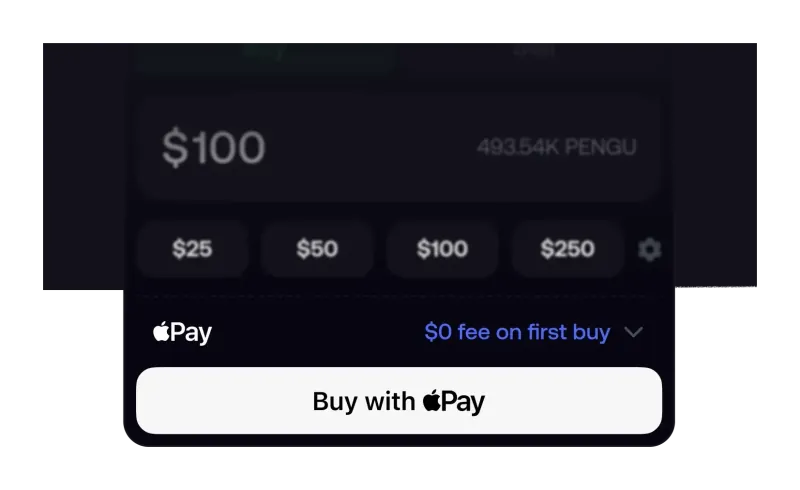
What is the difference between fomo and Moonshot?
Moonshot describes itself on the App Store as “the easiest way to discover, buy, and sell memecoins.” It is made by Buy Moonshots, Inc., a Miami company, and its help center says the app was built on Solana. The pitch is a short path from cash to a coin: pick a token from Explore, choose SOL or USDC to pay with, enter an amount, swipe to confirm.
fomo, made by FOMO Labs, Inc. in New York, is a social trading app first. You sign up with email, Apple ID or a Google Account, fund one cash balance and trade on Solana, Base, BNB Chain, Ethereum, Monad, Robinhood Chain and Arc from it. The home screen is built around what other traders are buying, through a feed, follows and a leaderboard. That combination is what the fomo trading app is designed for, and it is the main reason the two suit different people even though both target memecoin buyers.
How do fomo and Moonshot compare side by side?
Every row below comes from the company’s own help center, terms or store listing. Where a company does not publish something, the table says so.
| fomo | Moonshot | |
|---|---|---|
| Company | FOMO Labs, Inc., New York | Buy Moonshots, Inc., Miami |
| Trading fee | 0.50% on most chains; Solana tiered for small orders; 0.05% on selected major tokens | 2.5% from $2 to $100 (minimum about $0.99); 1% from $100 |
| Network fee | Paid by fomo on Solana; paid by you on other chains | Included in the fee as a “crypto fee” for network and routing |
| Chains | Seven, from one cash balance | Built on Solana; no published chain list |
| Crypto deposits | USDC on Solana, Base, BNB Chain, Monad, Ethereum; USDG on Robinhood Chain | USDC or SOL over Solana |
| Cash deposits | Apple Pay, bank-issued debit card, Pay with Coinbase; Cash App for some accounts | Card, bank transfer, PayPal, Venmo or Apple Pay through MoonPay, Coinbase, Robinhood, Binance or Revolut, by region |
| Custody | Non-custodial wallet managed by Privy; key export in Settings | Self-custody wallet through Turnkey, transactions signed with your passkey |
| Sign-up | Email, Apple ID or Google Account | Email and one-time code |
| Social features | Feed, follows, trade notifications, leaderboard, trade thesis posts | Trending list and sharing; no feed or follows described |
| Automatic selling | Stop loss and take profit on perps only | Auto Sell take-profit targets for 30 days |
| App Store rating | 4.8 from 26K ratings | 4.2 from 29K ratings |
| Fee discount | 10% off via a referral link at sign-up | Has a referral program; terms not compared here |
Which is cheaper, fomo or Moonshot?
fomo, at every trade size we checked, and by a wide margin above $100. The comparison is fairest on Solana, where neither app makes you pay a separate network fee: fomo covers gas, priority fees and token rent, and Moonshot folds network and routing costs into its own fee.
| Trade size | fomo on Solana | Moonshot |
|---|---|---|
| $20 | $0.40 (2% band) | About $0.99 (2.5%, minimum applies) |
| $50 | $0.95 flat | $1.25 (2.5%) |
| $150 | $0.95 flat | $1.50 (1%) |
| $500 | $2.50 (0.50%) | $5.00 (1%) |
Remember that selling costs a fee too, so a round trip pays twice on both apps. On fomo, a referral link used before the account exists cuts the trading fee by 10%, which takes 0.50% to 0.45%; the details are on the referral code page, and every Solana tier is on the full fomo fee schedule. Moonshot also notes that price impact is not a fee: on a thin memecoin, a large order can move the price against you on either app. Because both schedules punish small orders, the cheapest habit on either app is fewer, larger trades rather than many tiny ones.
Which is easier to fund from the US?
It depends on what you pay with. Moonshot uses outside payment providers, and between them they list cards, bank transfers, PayPal, Venmo and Apple Pay. Which ones you see “may vary based on your location/region,” and the fees are set by the provider; Moonshot’s fee page says MoonPay’s charge varies by payment method without giving a number.
fomo has fewer cash routes but publishes more about them. Apple Pay and bank-issued debit cards are the main ones; Pay with Coinbase works from a Coinbase balance; some accounts see Cash App under Exchanges and apps. PayPal, Venmo, Zelle, Cash App Card and Apple Cash cards are rejected on the debit card method, which our guide to Cash App, Venmo and PayPal on fomo explains. The route that works everywhere fomo works is USDC from another wallet or exchange, on any of five networks.
Getting money out also differs. fomo withdraws to US bank accounts, usually in 1 to 3 business days after a one-time identity check, or as USDC to an external wallet on six networks (see how fomo wallet withdrawals work). Moonshot cashes out through MoonPay, Coinbase or Robinhood, or as USDC or SOL on Solana, and does not publish timing or fees on its withdraw page.
Who holds your crypto on each app?
On paper, neither company does. Moonshot’s terms say the services are non-custodial and that Moonshot cannot recover a lost private key; its help center says wallets are created through Turnkey, a multi-party computation provider, that only your passkey authorizes transactions, and that Moonshot “can never freeze, transfer, or recover” your funds. The page we checked does not say whether you can export a private key.
fomo’s wallet is generated and managed by Privy. fomo says the key is split into shares so that no single party, fomo included, can rebuild it, and is only reassembled in secure hardware to sign a transaction. You can export the key from Settings, then Account, then Export, and open the same wallet in another app; the steps and the risks are in our guide to exporting your fomo private key. fomo’s help center adds that confirmed on-chain transactions cannot be reversed, and Moonshot says it cannot freeze or recover funds for you, so on both apps a mistaken transfer is yours to own.
What can you do on fomo that you cannot on Moonshot, and the reverse?
- Only on fomo: trade on seven chains from one balance without bridging; follow traders and get notified when they buy or sell; read the fomo social feed and the leaderboard; post a trade thesis on a position; use the app in a desktop browser at fomo.family.
- Only on Moonshot: set an Auto Sell target that sells a whole holding when it rises by a chosen percentage, active for 30 days (fomo has no take-profit for spot tokens, as our page on fomo limit orders explains); launch your own coin from the Create tab.
- On neither, for US users: leveraged trading. fomo says its perpetual futures are not available to US persons, and Moonshot says leverage and tokenized stocks are closed to the US, Canada and the UK.
Moonshot’s Auto Sell is take-profit only. Its own FAQ says a target below your buy price is still a take-profit from today’s price, not a stop-loss, so neither app gives a spot trader an automatic stop.
Which should a beginner choose?
- Pick fomo if you will trade more than a handful of times, buy $50 or more at a time, want tokens on Base, BNB Chain or Robinhood Chain as well as Solana, or want to learn by watching what other traders do. It is the cheaper app on every size in the table above.
- Pick Moonshot if you need to pay with PayPal or Venmo, want an automatic take-profit on spot coins, or only ever plan to buy a few well-known Solana memecoins.
- Either way, download from the official store listing or website only. Lookalike sites that ask you to connect a wallet are a common way people lose funds; how fomo scams work shows what they look like.
Moonshot puts it plainly on its own help center: memecoins “have no intrinsic value and investing can carry significant risk.” That is true on fomo too. If you go with fomo, the order of steps matters, because the fee discount only attaches at sign-up; our sign-up walkthrough covers it, and the guide to buy meme coins on fomo picks up from there. If you are weighing a self-custody wallet instead, see fomo vs Phantom. This page compares products; it is not investment advice.
fomo vs Moonshot: common questions
Is Moonshot cheaper than fomo for a $20 memecoin buy?
No, on the published numbers. Moonshot charges 2.5% on trades from $2 to $100 with a minimum of about $0.99, so a $20 buy costs roughly $0.99. fomo’s Solana fee in the 5 to 47.50 USDC band is 2%, which is $0.40 on $20, and fomo pays the Solana network fee.
Can I pay with PayPal or Venmo on fomo like on Moonshot?
Not through fomo’s debit card method: fomo’s help center says Cash App Card, Venmo, Zelle, PayPal and Apple Cash cards are not accepted there. Moonshot lists PayPal and Venmo through some of its payment providers, such as MoonPay and Revolut, depending on your region.
Does Moonshot have a social feed like fomo?
Moonshot’s help center describes search and a Trending list on its Explore page, plus sharing and coin creation, but it does not describe following traders, a trade feed or a leaderboard. On fomo those are central: a social feed, follows, trade notifications and a public leaderboard ranked by PnL.
Can US users trade stocks or use leverage on either app?
Not on the derivatives side. fomo says its perpetual futures are not available to US persons. Moonshot says leverage trading is only open to traders outside Canada, the UK, the US and other restricted regions, and its tokenized stocks exclude the same countries.
Can I move funds from Moonshot to fomo?
Moonshot lists crypto withdrawals as USDC or SOL over the Solana network, and fomo accepts USDC deposits on Solana. Sending USDC on Solana from Moonshot to your fomo deposit address lines up on both ends; do not send SOL, and try a small amount first.
Verified 9 October 2026. Figures on this page were checked against these sources on that date. fomo can change fees and features at any time; if something here no longer matches, tell us through the contact page and we will update it.
- fomo help center: Trading fees on fomo
- fomo help center: How referral codes and fee discounts work
- fomo help center: Depositing with crypto (USDC) (updated 12 August 2026)
- fomo help center: Can I deposit with Cash App, Venmo, or PayPal?
- fomo help center: Withdrawing to your bank account
- fomo help center: Withdrawing to an external wallet (updated 12 August 2026)
- fomo help center: How fomo keeps your crypto secure
- fomo help center: What is a private key and how to protect it
- fomo help center: Can I reverse a trade or transfer (23 April 2026)
- fomo help center: What perpetual futures are on fomo (10 June 2026)
- Apple App Store: fomo - never miss out
- Moonshot support: Fees
- Moonshot support: Fund storage
- Moonshot support: Deposit
- Moonshot support: Withdraw
- Moonshot support: Auto sell
- Moonshot support: Leverage eligible traders
- Moonshot Terms of Use (effective 16 October 2026)
- Apple App Store: Moonshot