
Unauthorized transaction in your fomo wallet: what to do
Most “unauthorized transactions” in a fomo wallet are not thefts at all: fomo says the usual cause is a scam token airdropped into thousands of wallets at once. A real transfer you did not make is different. It means someone signed with your private key outside the app, and because the wallet is non-custodial, fomo cannot pull the money back. Here is how to tell the two apart and what to do in the first hour.
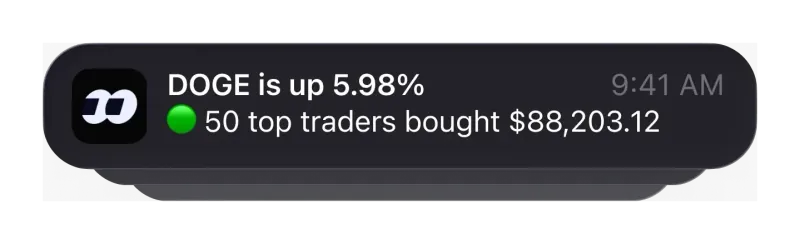
Is it a scam airdrop or a real transfer?
Start by working out which of the two you are looking at, because the right response is opposite for each. fomo’s help center separates them like this:
| What you see | Most likely cause, per fomo | What to do |
|---|---|---|
| A token you never bought, often with a dollar value | An airdropped scam token sent in bulk; it can resemble a coin you hold | Do not sell, swap or approve anything involving it |
| An unfamiliar stock token on Robinhood Chain | fomo lists this as an exception to the scam-airdrop rule | Ask support, giving the token name |
| USDC or tokens that left the wallet without your action | A transaction signed with your key outside fomo’s normal flow | Stop depositing and contact support immediately |
| A token sold that you did not sell | Same as above | Same as above |
| A Security warning page on fomo web | You arrived from a link fomo treats as suspicious; your account is not necessarily affected | Clean up the browser, then review your activity |
The first row is the one fomo calls the most common. Its scam guidance adds that these tokens often show a fake dollar value and cannot be sold, so the number is bait, not money. Leaving them untouched costs nothing. If you want more background on bait tokens, honeypots and fake sites, our guide to fomo scams and token traps covers them.
How do you check what actually happened?
Do not rely on a screenshot or a notification alone. Two places show the record:
- The app’s History screen. Tap the clock icon at the top of your profile. You can filter by All, Transfers, Trades or Cash, and each line shows the type, date, amount and the other party. A trade you placed yourself and forgot about will appear under Trades; a transfer out will appear under Transfers.
- A block explorer. Copy your wallet address from Profile, then Settings, then Account. fomo gives you one Solana address and one EVM address shared by its other networks. Paste it into the explorer for that chain (solscan.io for Solana, basescan.org for Base, bscscan.com for BNB Chain, etherscan.io for Ethereum), open the Transfers tab and match the time, amount and token.
Copy the transaction hash of anything you do not recognise. It is the single most useful thing to give support, and it is also what you would need for your fomo tax records if a loss has to be documented later.
How can someone move funds without your approval?
fomo splits your key into shares that no single party, including fomo, can rebuild on its own, and only reassembles it inside secure hardware for the moment needed to sign a transaction. So when funds leave without your action, fomo’s help center points to the key being used somewhere else. The five routes it lists:
- You exported the key and entered it into a website, form or app.
- The key was stored on a device or online account that someone else got into.
- You shared the key with another person, for example a fake support agent.
- You signed a request on a phishing site.
- A browser extension or bookmarklet ran while you were signed in to fomo on the web.
There is one more pattern from fomo’s scam guidance worth knowing: a site can ask you to connect a wallet and sign something that looks like a claim or a verification but actually grants another address permission to move your tokens. That permission can be used later, without a new signature, which is why funds sometimes leave days after the visit. fomo says to revoke such a permission from a wallet that holds your key. How keys are exported and kept safe in the first place is in our guide to exporting a fomo private key.
What should you do in the first hour?
fomo’s advice for a suspected compromise is short. Put it in this order:
- Stop adding money. Do not deposit or move anything new into that wallet until support has reviewed it with you.
- Leave unknown tokens alone. No selling, swapping or approving.
- Contact support immediately. In the app the route is Profile, then Settings, then Help and Support, then the Contact Support button at the bottom; fomo’s terms also list support@fomo.family.
- Tell support four things. Whether you ever exported your key, where you may have entered it, whether anyone else has used a device or browser where you were signed in, and whether you have seen sign-ins you do not recognise. Add the transaction hash.
- Secure the account you log in with. fomo has no password of its own; access depends on the Apple ID, Google Account or email you signed up with. fomo recommends a strong password and two-factor protection on that account, and changing that password is also how you cut off a lost device (see how fomo login works).
- Turn on biometrics. Under Settings, then Security, Face ID, Touch ID or fingerprint is optional, but once it is on it is required for withdrawals and key export.
Anyone who contacts you first offering to recover the funds for a fee is running a second scam. Real support only comes through the routes listed on our fomo family official website guide.
Can fomo reverse an unauthorized transaction?
No, and it is better to know that before you open an account than after. fomo’s help center says staff cannot access private keys or reverse on-chain transactions, that confirmed transactions cannot be undone by anyone, and that there is no chargeback mechanism. That is the trade-off of a non-custodial wallet: nobody can freeze your funds, and nobody can claw them back for you either. Support can still help you understand how the transaction was signed and what is still exposed, which matters for any money left in the wallet. The wider picture of what the wallet design protects against, and what it does not, is on our fomo safety page.
What does the fomo Security warning page mean?
On fomo web you may see a Security warning page instead of the app. fomo says it appears when you arrive from a site or URL it treats as suspicious, and that seeing it does not mean anything has happened to your account. It does mean the page that sent you is untrusted. Before signing in again, fomo asks you to:
- Clear your cookies, which signs you out of most sites; that is expected.
- Delete bookmarks you do not recognise, especially any a website asked you to drag to your bookmarks bar. A bookmarklet is a bookmark containing code that runs with the same access as the page you are on.
- Use a fresh browser profile just for fomo, with no extensions or bookmarklets, type fomo.family yourself and sign in with the Apple ID or Google Account you registered with. On a phone, the app does this job.
Once signed in, review your recent activity. Anything you did not do goes straight to support, using the Contact support button on the warning page or in the app. More on the browser version is in our fomo web guide.
How do you lower the risk before you sign up?
Almost every route on the list above starts with a key or a signature leaving the app. A few habits close most of them from day one:
- Only reach the fomo app through the official stores or by typing fomo.family yourself, never through a link in a direct message.
- If you export your key, never paste it into a website, never send it to anyone and never store it digitally. fomo says no one at fomo will ever ask for it.
- Keep fomo web in a browser profile without extensions.
- Only connect a wallet to sites you trust, and treat any page offering an airdrop or claim for a signature as a warning sign.
- Turn on biometrics under Settings, then Security, as soon as the account exists.
If you have not created an account yet, follow our sign-up guide step by step, and open a referral link first, since the fee discount can only be attached at sign-up.
Unauthorized transaction questions
Will fomo refund crypto that left my wallet without my approval?
fomo does not describe any refund. Its help center says the wallet is non-custodial, staff cannot access private keys, and a confirmed on-chain transaction cannot be undone by anyone. Contact support so they can review what happened, but plan as if the funds that already moved are gone.
Does the fomo Security warning page mean my account was hacked?
No. fomo says seeing that page does not mean something has happened to your account. It appears on the web when you arrive at fomo from a site or link it treats as suspicious, and it asks you to clean up your browser before you sign in again.
Why does a token I never bought show a dollar value in my wallet?
fomo says tokens that appear without a purchase are almost always airdropped scam tokens, and that they often display a fake dollar value and cannot be sold. The value is bait. Leave the token alone rather than trying to sell or approve anything involving it.
What should I do if I typed my private key into a website?
fomo says to treat that wallet as exposed and contact support immediately. Anyone holding the key can sign transfers without going through the app, so do not deposit anything more into that wallet while support reviews it with you.
Can I sign out of fomo on every device at once?
fomo’s help center does not describe a sign-out-everywhere button. Signing out only ends the session on the device you use. To cut off a lost or shared device, it suggests changing the password of the Apple ID or Google Account you sign in with.
Verified 9 October 2026. Figures on this page were checked against these sources on that date. fomo can change fees and features at any time; if something here no longer matches, tell us through the contact page and we will update it.
- fomo help center: Unauthorized transactions in your wallet
- fomo help center: What the Security warning page means and what to do
- fomo help center: Protecting yourself from scams
- fomo help center: There is a random token in my wallet I never bought
- fomo help center: Transaction history (23 April 2026)
- fomo help center: Where to find your wallet addresses (updated 12 August 2026)
- fomo help center: How to find a transaction hash (updated 12 August 2026)
- fomo help center: Can I reverse a trade or transfer (23 April 2026)
- fomo help center: How fomo keeps your crypto secure
- fomo help center: How to sign out of fomo
- fomo Terms of Service (dated 17 August 2026)